
There’s no official length limit — but there is a real one
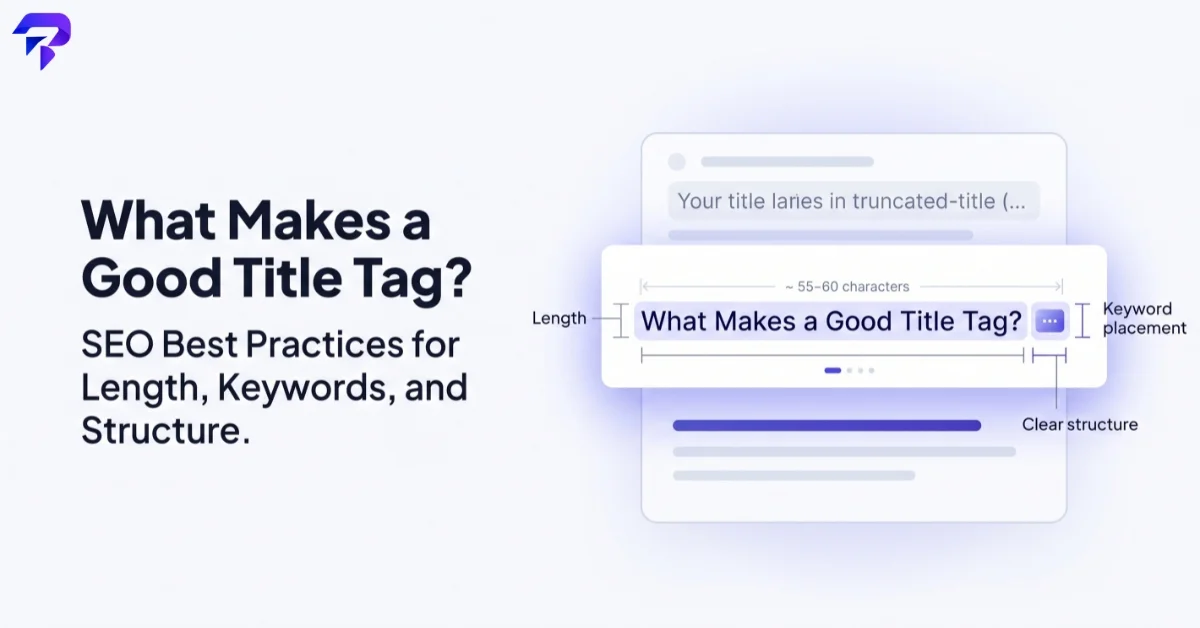
Google’s own Gary Illyes has said the title length limit search engine optimizers commonly cite is “an externally made-up metric” — there’s no hard character cutoff written into Google’s guidelines. What’s real is the display constraint: Google shows titles in search results within a fixed pixel width, and once a title exceeds that width, it gets truncated with an ellipsis rather than wrapping to a second line. Because different letters take up different amounts of horizontal space (a lowercase “i” is much narrower than a capital “W”), that pixel limit doesn’t map cleanly onto a fixed character count — which is exactly why you’ll see different sources recommend anywhere from 50 to 70 characters as “safe.” Treat any specific number as a rough guide, not a hard rule, and check how your actual title renders rather than just counting characters.
When Google rewrites your title tag for you
Google doesn’t always display the exact title tag you wrote. It will substitute its own version — pulled from your page’s heading, prominent text, or elements like breadcrumbs — when it judges your original title to be too long, stuffed with repeated keywords, missing entirely, or filled with generic boilerplate that doesn’t describe the specific page. This rewriting affects only what’s displayed in search results; it doesn’t change your actual HTML title tag or directly affect rankings, since Google still uses your original title tag as a ranking signal internally. But it does mean a title you carefully wrote can show up differently than you intended, which is reason enough to write titles that are specific and reasonably concise in the first place rather than relying on Google to fix a vague one. ToolPremier’s Meta Title Generator is built around these same practical constraints if you’d rather start from a template than a blank field.
Where to put your keyword (and why it’s about clarity, not a hack)
Putting your primary keyword earlier in a title tag is still reasonable advice, but the reasoning matters more than the position itself. It’s not that Google weighs the first word of a title more heavily than the fifth — it’s that people scanning search results read left to right, and a title that gets cut off tends to get cut off at the end, so your most important, specific words are safer near the front regardless of the exact reason a title got truncated. The goal is a title a human can understand at a glance, not a keyword placed in a specific slot to satisfy an algorithm.
Title tag vs. H1 vs. meta description: three different jobs
These three elements get confused because they often say similar things, but they’re not interchangeable. The title tag is what shows as the clickable blue link in search results and the browser tab — its job is to get someone to click. The H1 is the visible on-page headline once someone has already arrived — its job is to confirm they’re in the right place. The meta description is the supporting text below the title in search results — its job is to sell the click with a specific reason, not repeat the title in different words (see ToolPremier’s Meta Description Generator and our list of free tools for handling all of this on a small site). Reusing the exact same wording for all three isn’t wrong, but it wastes an opportunity — each one is a separate chance to say something slightly different that reinforces the page’s relevance rather than repeating one phrase three times.
Common title tag mistakes worth fixing
A handful of patterns show up constantly on audits: titles that are identical or near-identical across many pages (which tells search engines nothing distinguishes one page from the next), titles stuffed with the same keyword repeated two or three times, titles so generic they could belong to any page on the internet (“Home,” “Products,” “Blog”), and titles that describe the site rather than the specific page someone landed on. None of these require a rewrite from scratch — usually just naming the actual, specific thing that page is about, once, clearly, near the front.
It’s also worth checking your title tag’s keyword density isn’t accidentally working against you — a title repeating the same phrase multiple times to “cover all the bases” reads as spam to both readers and search engines rather than as thorough coverage; see what keyword density actually measures and why more isn’t better once a keyword already appears naturally.
Auditing your title tags
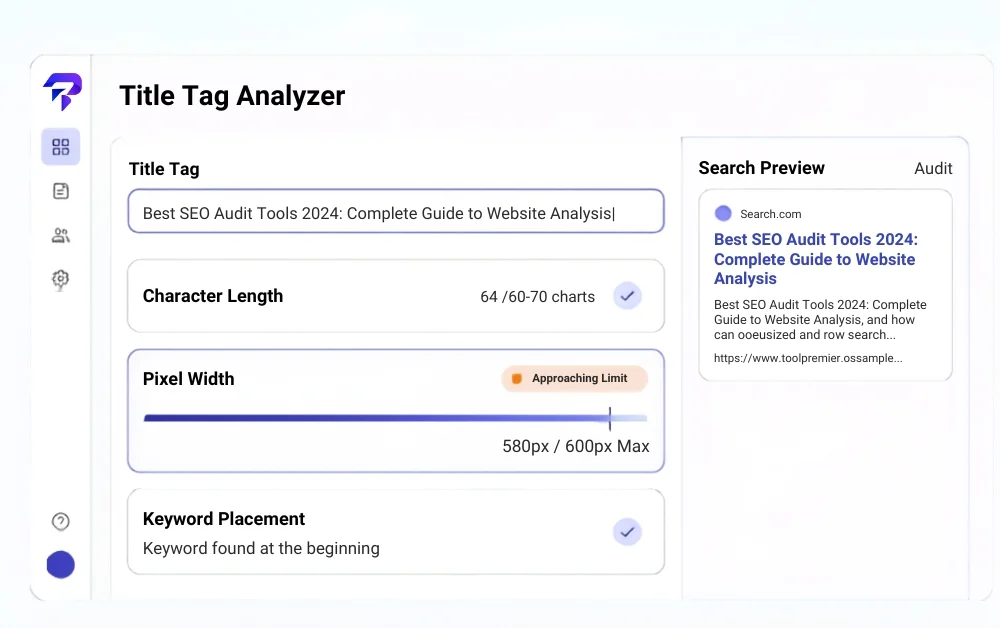
ToolPremier’s Title Tag Analyzer checks a title against these practical constraints directly — length, pixel-width truncation risk, and keyword placement — so you can see how it’ll actually render in search results before you publish, rather than guessing from a character count alone.
Title tags work alongside the rest of your technical SEO setup — including making sure your robots.txt file isn’t accidentally blocking the pages you want indexed.
FAQs
Will changing my title tag hurt my existing search rankings?
Not directly from a quality standpoint, but there’s a real short-term risk worth knowing about. Google doesn’t penalize a page for editing its title, but a title that’s been earning clicks for a long time has an established click-through-rate history, and swapping it resets that signal while Google re-evaluates the new version — rankings and traffic can wobble for a period before settling. That’s a reason to change a genuinely weak title, not a reason to avoid touching titles that are already performing well.
Does my title tag need to match my page’s H1 exactly?
No, and they don’t have to. The title tag and H1 serve different jobs — one earns the click in search results, the other confirms the visitor landed in the right place — so it’s completely normal, and often better, for them to be similar in topic but phrased slightly differently, with the H1 sometimes being more direct or conversational. Matching them exactly isn’t an SEO requirement, and it isn’t a mistake either; it just means you’re using one phrasing instead of two chances to reinforce relevance.
Do special characters or emoji in a title tag help or hurt?
A few common separators (a pipe, a dash, or brackets to set off a brand name or year) are standard practice and cause no issues. Emoji and heavier symbol use are riskier: Google sometimes strips them from what actually displays in search results, and title tags that lean too hard on symbols or emoji to stand out can read as spammy rather than clear, which undercuts the same clarity that helps a title avoid being rewritten in the first place.
How often should existing title tags be reviewed and updated?
There’s no fixed schedule, but it’s worth revisiting titles whenever you do a broader content or SEO audit — particularly for pages with declining click-through rate, pages Google has started rewriting in search results, or older pages using an outdated format or a keyword that no longer matches how people actually search. Treat it as part of routine maintenance rather than a one-time task done only at publish.
The Bottom Line
There’s no hard character limit on a title tag, but Google’s pixel-width display cutoff and its willingness to rewrite unclear titles both function like one in practice — write for clarity and an accurate match to the page first, length second. Revisit title tags during routine SEO audits rather than treating them as a set-once field.


