
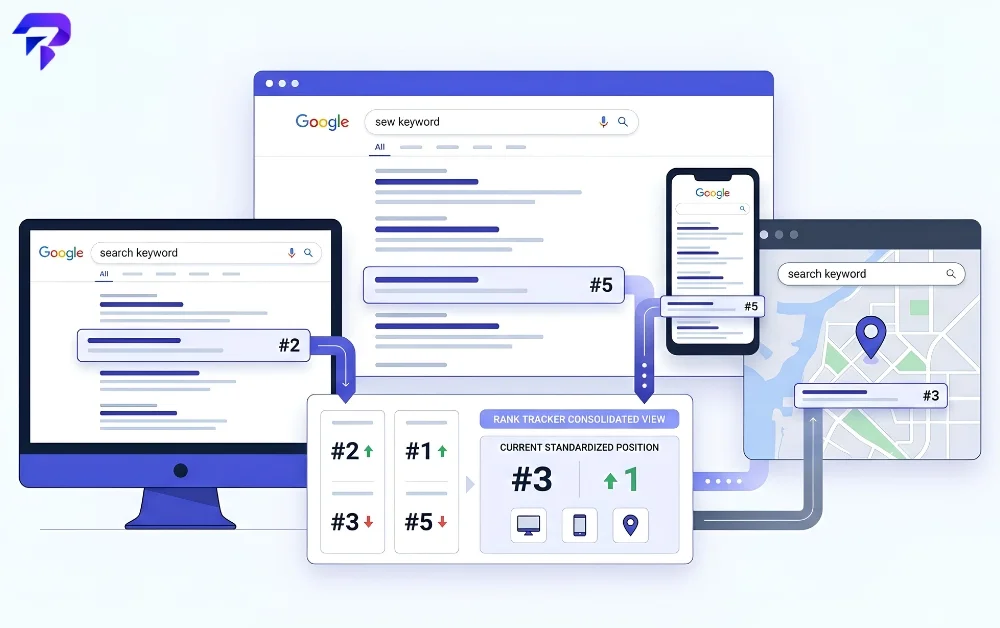
The biggest factor: personalization
Google builds an individual profile for each signed-in searcher based on their search history, browsing history, and which results they’ve clicked before. If you’ve clicked a competitor’s site repeatedly in the past, Google’s own systems can favor that result higher in your future searches for related terms — which means your own “quick check” from a logged-in browser is measuring your personal search history as much as it’s measuring the page’s actual ranking for a typical searcher.
Location changes results too — sometimes dramatically
For anything with local intent, Google weighs proximity heavily: businesses and pages closest to the searcher’s detected location get pulled higher in both the local pack and the regular organic results. Two people searching the identical phrase from different cities, or even different neighborhoods, can see meaningfully different result sets. This is exactly why a single “my ranking” check from one location tells you almost nothing about how a page ranks nationally or for a customer searching from somewhere else.
Device matters more than people expect
Mobile and desktop search results aren’t the same list reordered — they function closer to two separate ranking environments, with mobile-specific factors like page speed and mobile-friendliness weighted differently. A page that ranks well on desktop can rank meaningfully differently on mobile for the same query, which is why any serious rank-tracking setup checks both separately rather than assuming one number represents “the” ranking.
Signed-in extras: search history, Maps, and other Google products
Beyond raw search and click history, information from other Google products a signed-in user has touched — Maps activity, previously saved places, and similar signals — can factor into what that specific user sees. None of this affects how a typical, logged-out searcher experiences the results; it only affects the individual account doing the searching.
How rank tracking tools account for all of this
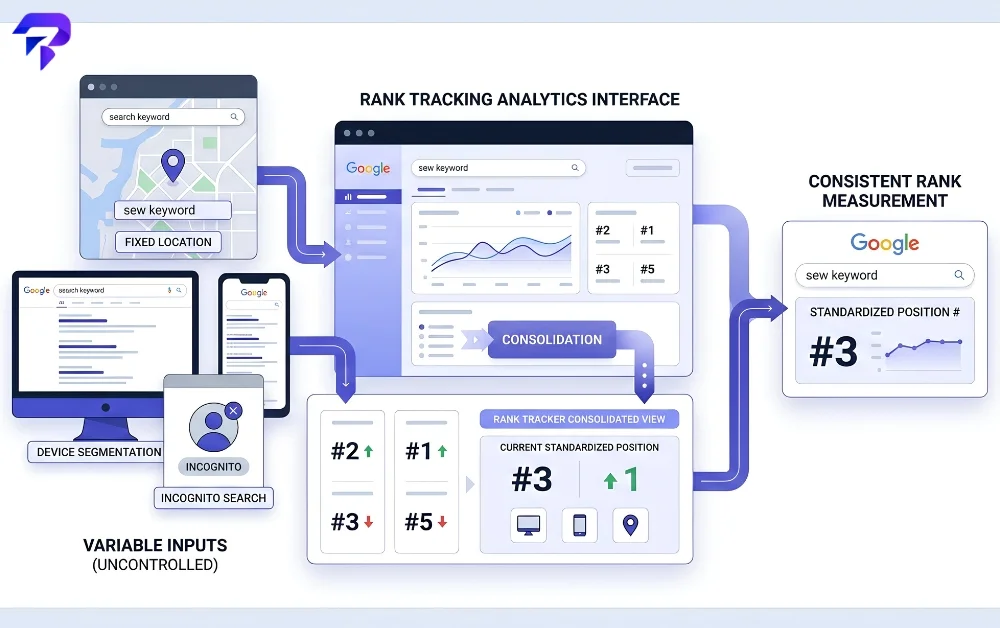
A dedicated rank tracker solves the “which number is real” problem by standardizing the conditions of every check: it queries Google from a logged-out or incognito-equivalent state so personal search history doesn’t skew results, it lets you set a specific location so you’re checking the ranking a real customer in that area would actually see, and it checks mobile and desktop rankings separately rather than blending them into one figure. That’s the difference between a rank tracker and manually searching from your own browser — the manual check is measuring your personalized, local, device-specific view; the tracker is measuring a controlled, repeatable one.
Day-to-day wobble of a position or two, even with all of that controlled for, is still normal — Google’s own index and algorithm updates roll out continuously, and results for competitive terms shift as other sites publish, update, or lose content. What’s worth investigating is a sustained drop over days or weeks, not a one-day swing.
What to check when a ranking drop looks real
Once a rank tracker shows a genuine, sustained decline rather than normal noise, the next places to look are usually technical rather than mysterious. A sudden loss of backlinks or a competitor’s new content targeting the same query can both show up as a real ranking change. It’s also worth checking that nothing broke on the page itself — a broken link checker can catch internal links that quietly stopped working, and comparing your page’s domain authority against competitors ranking above you gives a rough read on relative link strength, though it’s one signal among many rather than a direct ranking factor. Page experience factors matter too — our guide on what makes a good title tag and why readability scores matter for SEO both cover on-page signals worth auditing before assuming the drop is purely algorithmic.
Frequently Asked Questions
Why does my ranking look different when I search myself versus what a rank tracker shows?
Your own search is personalized based on your search and browsing history, your current location, and the device you’re using. A rank tracker deliberately removes those variables by searching from a logged-out state with a fixed location, so it shows a more consistent, comparable number rather than your individual, personalized view.
Is it normal for rankings to move by a position or two every day?
Yes. Google’s index and algorithms update continuously, and competing pages are constantly being published or updated, so small day-to-day movement is expected. A sustained decline over days or weeks is the pattern worth investigating, not a single day’s fluctuation.
Do mobile and desktop rankings differ for the same keyword?
They can, and often do. Mobile and desktop search results are generated somewhat independently, with different weighting on factors like page speed and mobile usability, so checking only one device gives an incomplete picture.
Does my location affect what ranking I see?
Significantly, for many searches. Google weighs proximity to the searcher heavily for queries with local intent, so the same search from two different locations can return different results and different rankings for the same page.
What should I check first if a rank tracker shows a real, sustained drop?
Start with what’s within your control: whether the page still loads correctly and has no broken internal links, whether competitors above you have recently published stronger or more comprehensive content, and whether your backlink profile changed. A sustained drop is rarely one single cause, so it’s worth checking technical, content, and link factors together rather than assuming any one of them explains it. A full-page website screenshot taken now, and compared against one from before the drop, is a fast way to spot a layout or content change you might otherwise miss.
The Bottom Line
A ranking number depends on who’s searching, where, on what device, and whether they’re signed in — so seeing a different position than a rank tracker shows isn’t necessarily a bug in either measurement. A real, sustained drop is rarely one single cause; check technical health, content quality, and backlink changes together rather than assuming any one factor explains it.


