
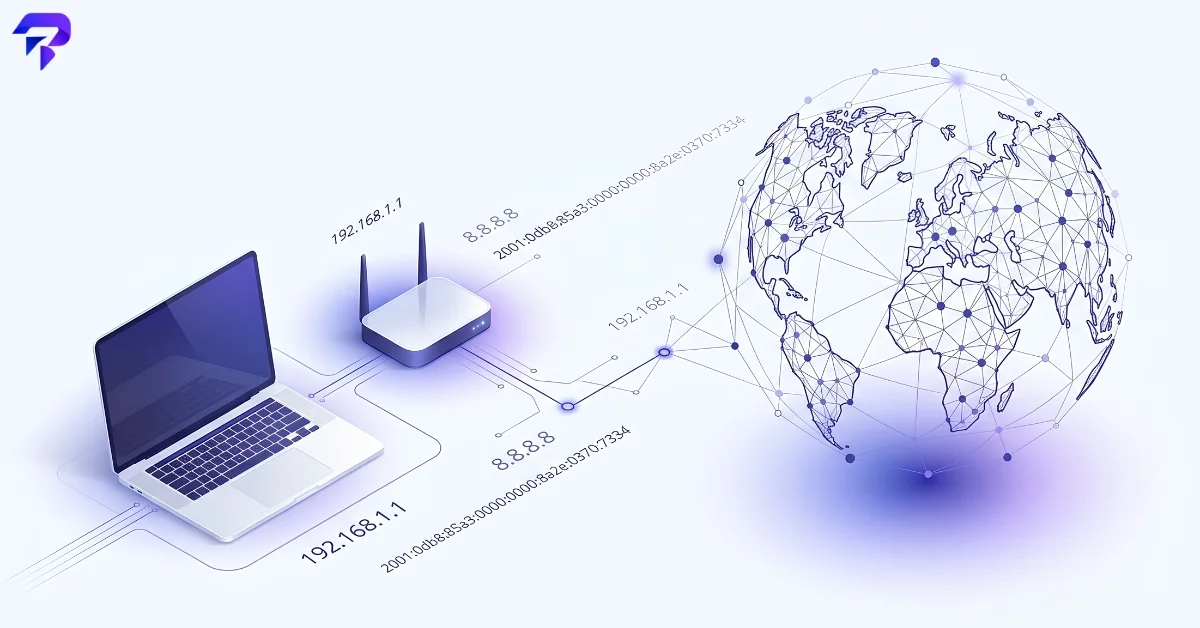
Quick answer: An IP address is the numerical label your device uses to send and receive data on a network — a return address attached to every request you make online. Most home and mobile connections use a dynamic IP that your internet provider can reassign at any time, which is why it changes even when you haven’t done anything differently. It reveals an approximate region and your internet provider, not your exact physical address.
Public IP vs. private IP address
Every device on your home network actually has two IP addresses at once. The private IP (something like 192.168.1.42) only exists inside your local network — your router uses it to tell your laptop apart from your phone and your smart TV. The public IP is the address your router presents to the rest of the internet on behalf of every device behind it.
The translation between the two happens through NAT (Network Address Translation), which is also why checking “your IP” from a phone and a laptop on the same Wi-Fi network usually returns the identical public address, even though the devices have different private addresses.
IPv4 vs. IPv6 — and why both still exist
IPv4 addresses (the familiar four-number format, like 203.0.113.42) are 32-bit numbers, which caps the total possible addresses at roughly 4.3 billion. That space ran out years ago relative to the number of connected devices worldwide, which is the entire reason IPv6 exists: a 128-bit address format with a practically inexhaustible number of possible addresses.
The migration has been slow because IPv4 and IPv6 aren’t directly compatible with each other — a device needs an IPv6 connection start to finish (or a translation layer) to use one. As of April 2026, Google’s own traffic measurements showed IPv6 reaching 50% for the first time, while APNIC’s independent measurement — which uses a different methodology — put global IPv6 capability closer to 42%. The two numbers disagree on the exact figure, but they agree on the milestone: after nearly two decades of gradual rollout, IPv6 has crossed the halfway point of real-world usage.
In practice, this means most of today’s internet runs in a mixed “dual-stack” state — some connections go out over native IPv4, some over IPv4 sitting behind carrier-grade NAT (common on mobile networks, where many phones share a small pool of public IPv4 addresses), and some over native IPv6. Your own connection’s IP format depends on what your ISP and router support, not on anything you configure directly.
Why your IP address keeps changing
Most home and mobile connections use a dynamic IP: your ISP assigns it via DHCP for a lease period rather than permanently. That lease can renew quietly in the background, or a fresh address can get assigned when your modem reboots, your router reconnects, or your ISP reallocates addresses across its network. None of this requires any action on your part — it’s just how the address pool gets managed at scale.
Mobile carriers add another layer: carrier-grade NAT (CGNAT) means many customers share the same small set of public IPv4 addresses, so your visible IP can rotate multiple times a day as you move between cell towers or your connection resets.
A static IP — one that never changes — is possible, but it’s typically a paid business-tier option rather than a default. It matters mainly if you’re hosting something (a server, a security camera system) that other devices need to reliably find at the same address over time.
What your IP address reveals — and what it doesn’t
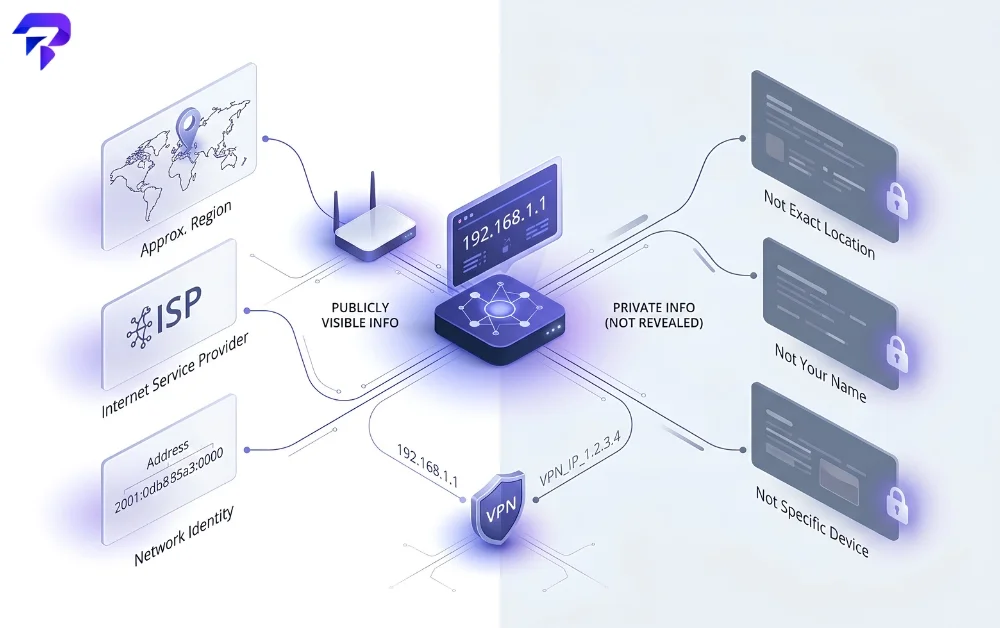
An IP address maps to a rough geolocation — usually the city or region tied to your ISP’s infrastructure, not your actual street address — plus your internet provider’s name. Geolocation databases build this from where ISPs have registered their address blocks, so accuracy varies: it can be dead-on for a city, or noticeably off if your ISP routes traffic through a hub in a different region.
What it doesn’t reveal on its own: your name, your exact address, or which specific device inside a household or office made a request — NAT hides that detail from anyone outside the network. Using a VPN or proxy replaces your visible IP with the VPN provider’s, which is why sites see a different (often different-country) location while you’re connected to one.
If you need to check what’s registered to a specific address or domain rather than your own connection, ToolPremier’s Domain IP Lookup resolves a domain to its hosting IP, and the Reverse IP Domain Checker works the other direction — showing other domains hosted on the same IP address, which is useful for spotting shared hosting or investigating a suspicious address. For checking several addresses at once, the IP Address Location Finder (Bulk) handles a batch in one pass instead of one at a time.
Checking your own IP right now
ToolPremier’s What Is My IP tool shows your current public IP address instantly, with no signup and nothing installed. If your connection is dual-stack, you may see both an IPv4 and an IPv6 address reported — that’s normal, and it reflects the mixed state of the internet described above rather than anything wrong with your setup.
If a site or service looks unreachable and you’re trying to rule out whether the problem is on your end, checking your own IP and connectivity is a reasonable first step before assuming the site itself is down — our guide on telling whether a website is down for everyone or just you walks through the rest of that troubleshooting sequence.
When your IP address actually matters
For most everyday browsing, your IP address is background infrastructure you never think about. It becomes practically relevant in a few specific situations: troubleshooting why a connection keeps dropping, setting up an allowlist for remote access to a router or server, understanding why streaming or shopping sites show you regional pricing or availability, or reading server logs during a security investigation. Email servers use the same underlying idea from the sending side — an SPF record lists exactly which IP addresses are allowed to send mail for a domain, which is the first of three DNS records worth understanding if you’re troubleshooting spoofed email (see SPF, DKIM, and DMARC explained). In every one of those cases, knowing your current IP — and whether it’s likely to change before you finish the task — is the useful starting fact.
FAQs
Can someone find my exact home address from my IP address?
Not directly, and not without legal authority. An IP address maps to your ISP and an approximate region, but mapping it to your exact billing address requires the ISP’s subscriber records, which the ISP doesn’t hand out publicly — that information is only released to law enforcement or other parties through a legal process like a subpoena. A random person or website looking up your IP through a public geolocation tool gets a city or region, not a street address.
Does a VPN hide my IP address from my own internet provider too?
No — your ISP can still see that you’re connecting to a VPN server and roughly how much data you’re sending, even though it can’t see what you’re doing inside the encrypted tunnel or which sites you’re actually visiting. A VPN changes what the destination website sees (the VPN’s IP instead of yours); it doesn’t hide the existence of your connection from the provider that’s carrying that traffic in the first place.
Is IPv6 less private than IPv4?
In one specific way, potentially yes. Because IPv6 has enough addresses for every device to have its own, it’s less likely to rely on the same CGNAT sharing that hides many IPv4 devices behind one public address — which can make an individual device more directly identifiable across sessions than it would be sharing an IPv4 address with hundreds of other customers. Most modern operating systems mitigate this with “privacy extensions” that rotate part of the IPv6 address periodically, but it’s a real tradeoff worth knowing about, not a purely theoretical one.
Why do some websites block me or show extra security checks when I use a VPN?
Because a VPN’s IP address is shared across many users, and sites track which IPs get used for spam, fraud, or abuse. If a VPN server’s IP has been flagged for bad behavior by other users of the same service, the site may throttle, block, or add a CAPTCHA challenge to that IP regardless of your own actual behavior — you’re inheriting the reputation of everyone else who’s recently used the same exit IP.
The bottom line
Your IP address is a temporary, ISP-assigned label, not a permanent identifier tied to you personally. It changes because your provider manages a shared pool of addresses, not because anything is wrong, and on its own it reveals an approximate region and ISP rather than anything more precise. Check yours anytime with ToolPremier’s What Is My IP tool.


