
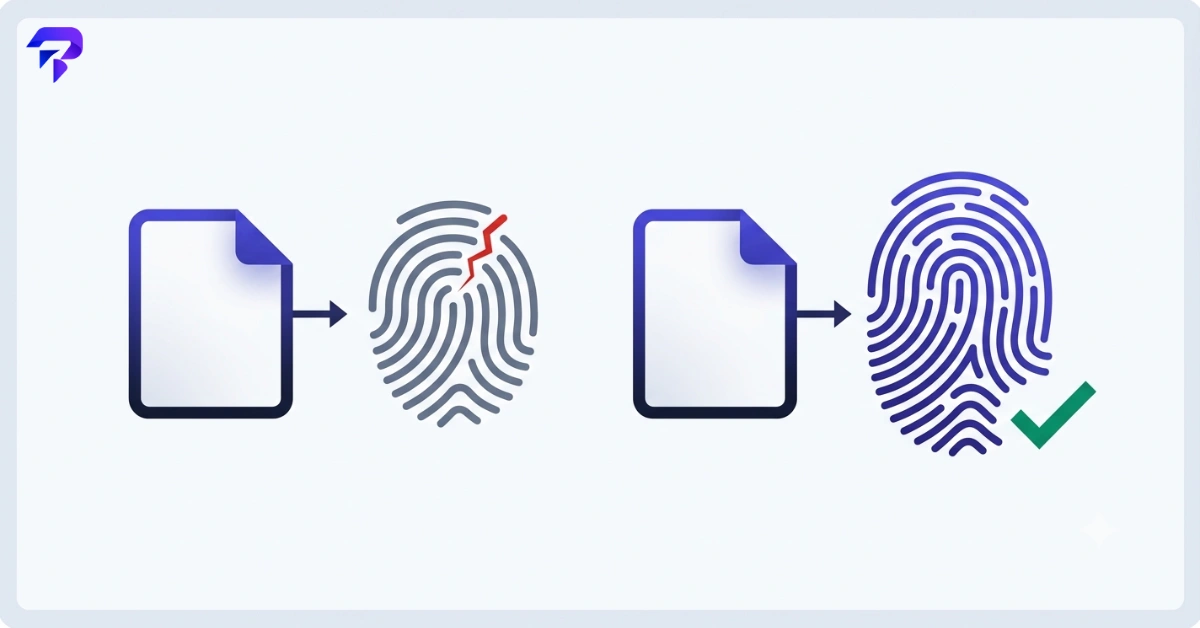
Quick answer: MD5 and SHA-256 are both hashing algorithms — they turn any input into a fixed-length string of characters that acts like a fingerprint for that data. MD5 is fast and still fine for catching accidental file corruption or spotting duplicate files, but it’s cryptographically broken: it’s possible to deliberately construct two different files that produce the same MD5 hash. SHA-256 is slower to compute but has no known practical collision attacks, which is why it’s the default choice for anything security-related — verifying downloads, signing software, and checksumming files you actually need to trust.
What a hash generator actually does
A hash function takes an input of any size — a word, a password, an entire video file — and produces a fixed-length output called a hash, digest, or checksum. Change one character in the input, and the output changes completely and unpredictably. Feed in the exact same input twice, and you get the exact same hash every time.
A hash generator is just a tool that runs this calculation for you. Paste in text or drop in a file, pick an algorithm, and it spits out the hash. People reach for one to verify a downloaded file wasn’t corrupted or tampered with, to compare two files without opening either one, or to generate a fixed-format identifier for something in code.
What a hash is not is encryption. You can’t decrypt a hash back into the original data — it’s a one-way calculation. That’s exactly why hashes are useful for verification: you’re not trying to recover the original, you’re trying to confirm two things match.
MD5 vs. SHA-256 at a glance
Both algorithms do the same basic job — turn input into a fixed-length fingerprint — but they were built in different eras for different threat levels. Here’s how they actually compare.
| Attribute | MD5 | SHA-256 |
|---|---|---|
| Output length | 128-bit (32 hex characters) | 256-bit (64 hex characters) |
| Speed | Faster — smaller digest, fewer computation rounds | Slower — more computation per block |
| Collision resistance | Broken — deliberate collisions have been demonstrated for well over a decade | No known practical collision attacks |
| Security status today | Not safe for any security-dependent use | Currently considered secure and is the modern standard |
| Typical use case | Non-security checksums, legacy system compatibility, quick duplicate-file detection | File integrity verification, digital signatures, TLS certificates, software distribution checksums |
| Suitable for storing passwords | No | No |
That last row matters more than it looks. Neither of these algorithms was designed for password storage, and using either one for that job is a mistake regardless of which you pick — more on that below.
Is MD5 secure?
No, not for anything where security matters. This is the part people get wrong most often: they see a long, random-looking string and assume any hash equals security. MD5 produces a fingerprint just like SHA-256 does, but the algorithm underneath has a well-documented flaw called a collision — two different inputs that produce the identical hash.
In theory, every hash function has collisions somewhere, since it’s mapping infinite possible inputs to a fixed set of outputs. What matters is whether someone can find or engineer one on purpose in a reasonable amount of time. For MD5, researchers demonstrated that this is practically achievable, and the technique has been public knowledge for well over a decade. That means an attacker can craft a malicious file that hashes to the same MD5 value as a legitimate one — which defeats the entire point of using a hash to verify that a file is what it claims to be.
This doesn’t mean MD5 is useless. It’s still perfectly fine when nobody is trying to fool you — checking that a large file transferred without random corruption, generating a quick fingerprint to detect duplicate files in a folder, or satisfying a legacy system that still expects MD5 checksums. What MD5 can’t do anymore is guarantee that a file hasn’t been deliberately tampered with by someone who knows what they’re doing.
What makes SHA-256 the modern default
SHA-256 belongs to the SHA-2 family of algorithms and produces a 256-bit hash — a 64-character string in hexadecimal. It’s slower to compute than MD5, which sounds like a downside until you realize that’s largely irrelevant for how these tools actually get used: hashing a file or a password field takes a fraction of a second either way on modern hardware.
What actually matters is that SHA-256 has no known practical collision attack. Nobody has demonstrated a way to deliberately construct two inputs that produce the same SHA-256 hash within a feasible amount of time. That’s why it’s become the default for the situations where a hash needs to be trustworthy, not just useful:
- Software distribution — publishers post a SHA-256 checksum next to a download so you can confirm the file you got matches the file they released
- TLS certificates — modern certificate signing has moved to SHA-256 after SHA-1 was phased out for the same collision-related reasons that sidelined MD5
- Digital signatures — signing schemes hash the document first, then sign the hash, so the hash function’s collision resistance directly determines how trustworthy the signature is This is exactly the mechanism behind JWT signing — the widely used HS256 algorithm is HMAC combined with SHA-256, which is why our guide to how JWTs work covers signature verification in more depth.
- Blockchain and proof-of-work systems — Bitcoin’s mining process, for example, is built around repeated SHA-256 hashing
If you’re not sure which algorithm to reach for and security is even a minor consideration, SHA-256 is the safe default. It’s fast enough for everyday use and isn’t burdened with MD5’s known weaknesses.
How to verify file integrity with a hash
Verifying file integrity means confirming that a file you have is identical to the file it’s supposed to be — no corruption during transfer, no tampering, no substitution. Hashes make this easy because you don’t need to compare files byte by byte; you just compare two short strings.
- Find the published hash. Reputable software downloads, open-source releases, and file-sharing pages often list an MD5 or SHA-256 checksum next to the download link.
- Generate the hash of your own copy. Run the file you downloaded through a hash generator using the same algorithm the publisher used.
- Compare the two strings character by character. If they match exactly, the file is identical to what was published. If even one character is different, something changed — corruption during download, a bad mirror, or in rarer cases, tampering.
ToolPremier’s Hash Generator handles this in the browser — generate MD5, SHA-1, SHA-256, or SHA-512 hashes from pasted text or an uploaded file, with nothing sent to a server. That matters for this specific use case: you’re often verifying a file precisely because you’re not sure it’s trustworthy yet, so a tool that doesn’t require uploading it anywhere first is the more sensible choice.
Why hashes — even SHA-256 — don’t belong in password storage
This trips up a lot of people building their first login system: if SHA-256 is secure, why not just hash passwords with it directly? The problem isn’t SHA-256’s collision resistance — it’s speed, and speed is the one property password hashing needs to not have.
SHA-256 is designed to be fast, because that’s useful for checksums and signatures where you’re hashing large files and need the result quickly. But that same speed means an attacker with a list of stolen password hashes can try billions of guesses per second against them using modern hardware. Fast hashing turns password cracking into a numbers game the attacker usually wins.
Password hashing algorithms like bcrypt solve this by being deliberately, tunably slow, and by automatically incorporating a random salt into each hash so identical passwords don’t produce identical hashes. That slowness is a feature — it makes large-scale guessing attacks impractical even against a stolen database. If you’re building or evaluating a login system, that’s the tool for the job: ToolPremier’s Bcrypt Hash Generator generates properly salted bcrypt hashes in the browser for testing and development.
The short version: MD5 and SHA-256 answer “does this data match?” Bcrypt answers “does this password match, without making a stolen database easy to crack?” Different questions, different tools.
Hash algorithm comparison: a quick decision guide
- Verifying a software download or file integrity where trust matters — use SHA-256 (or SHA-512 if the publisher offers it)
- Checking for accidental corruption in a large file transfer, with no adversarial concern — MD5 is fine and slightly faster
- Detecting duplicate files in a personal project or script — MD5 or SHA-256 both work; MD5 is marginally quicker at scale
- Interfacing with a legacy system or API that specifically requires MD5 — use MD5, since you don’t have a choice, but don’t rely on it for anything security-sensitive on your end
- Signing documents, certificates, or anything where someone could have a motive to forge a match — SHA-256, no exceptions
- Storing user passwords — neither. Use bcrypt or a similar dedicated password-hashing algorithm

FAQ
Is MD5 still used today?
Yes, but mostly for non-security purposes — checksums for detecting accidental corruption, duplicate file detection, and compatibility with older systems that were built around it. Security-conscious uses of MD5 (verifying downloads from an untrusted source, signing anything) have largely moved to SHA-256.
Can SHA-256 be cracked?
There’s no known practical way to reverse a SHA-256 hash back to its original input, and no known practical way to engineer a collision. That’s why it remains the standard choice for security-sensitive hashing. No hash function is mathematically proven unbreakable forever, but SHA-256 has held up under sustained scrutiny since it was introduced.
What is a hash generator used for?
A hash generator converts text or a file into a fixed-length hash using an algorithm like MD5, SHA-1, SHA-256, or SHA-512. Common uses include verifying that a downloaded file matches the original, generating checksums for scripts and APIs, and creating consistent identifiers from input data.
Is a SHA-256 checksum enough to know a file is safe?
A matching SHA-256 checksum tells you the file is identical to the one the checksum was generated from — it doesn’t tell you the original file was safe to begin with. Checksums verify integrity, not intent. You still need to trust the source that published the file and its checksum in the first place.
What’s the difference between a hash and encryption?
Encryption is reversible with the right key — encrypted data is meant to be decrypted later. Hashing is one-way; there’s no key that turns a hash back into the original input. Hashes are for verifying data matches, not for hiding or protecting data you need back later. A simple substitution cipher like the one behind the Caesar cipher and ROT13 is different again — it obscures text reversibly, but with no real security at all, unlike either hashing or genuine encryption.
Should I use SHA-1 instead of MD5 or SHA-256?
No. SHA-1 sits between the two chronologically, and it has also been shown to be vulnerable to practical collision attacks, which is why it’s been phased out of the same security-sensitive uses that moved away from MD5. If you’re choosing today, SHA-256 is the better default over both.
The bottom line
MD5 and SHA-256 aren’t competing versions of the same tool — they’re the same category of tool built for different stakes. MD5 is quick and good enough when nobody has a reason to deceive you. SHA-256 is the one you reach for whenever a mismatch would actually matter — a download, a signature, a certificate, anything where someone might benefit from tricking you into trusting the wrong file.
Neither hash is the right tool for one specific job, though: storing user passwords. Both MD5 and SHA-256 are fast by design, which is exactly what makes them unsuitable for that use case — see Bcrypt vs. MD5 vs. SHA-256: Why Password Hashing Needs to Be Slow for why password storage needs a deliberately slow algorithm instead.
Need to generate either one right now? ToolPremier’s Hash Generator creates MD5, SHA-1, SHA-256, and SHA-512 hashes directly in your browser — paste text or drop a file, and nothing ever leaves your device. It’s free, and there’s no upload involved, which is exactly the point when what you’re hashing is something you’d rather not send to a server in the first place.


