
Use ToolPremier’s free invoice generator to see the difference on your own next invoice — no signup, no software to install.
Why this comparison actually matters
Most freelancers don’t set out to build an invoicing process. It happens by accident: you needed to bill a client once, someone sent you a Word template, and it worked. Six months later you’re still using that same file, copy-pasting last month’s invoice and manually swapping out the numbers.
That’s the trap. A Word or Excel invoice template isn’t a bad idea — it’s a fine idea that stops scaling the moment you have more than one client or more than one invoice a month. The real cost isn’t the ten minutes it takes to fill one out. It’s the accumulation of small friction: retyping fields that never change, re-checking totals by hand, and fixing the formatting that shifted after you added a row.
This post compares the two approaches directly — not against a paid invoicing SaaS product, just against each other — so you can figure out which one fits how often you actually invoice.
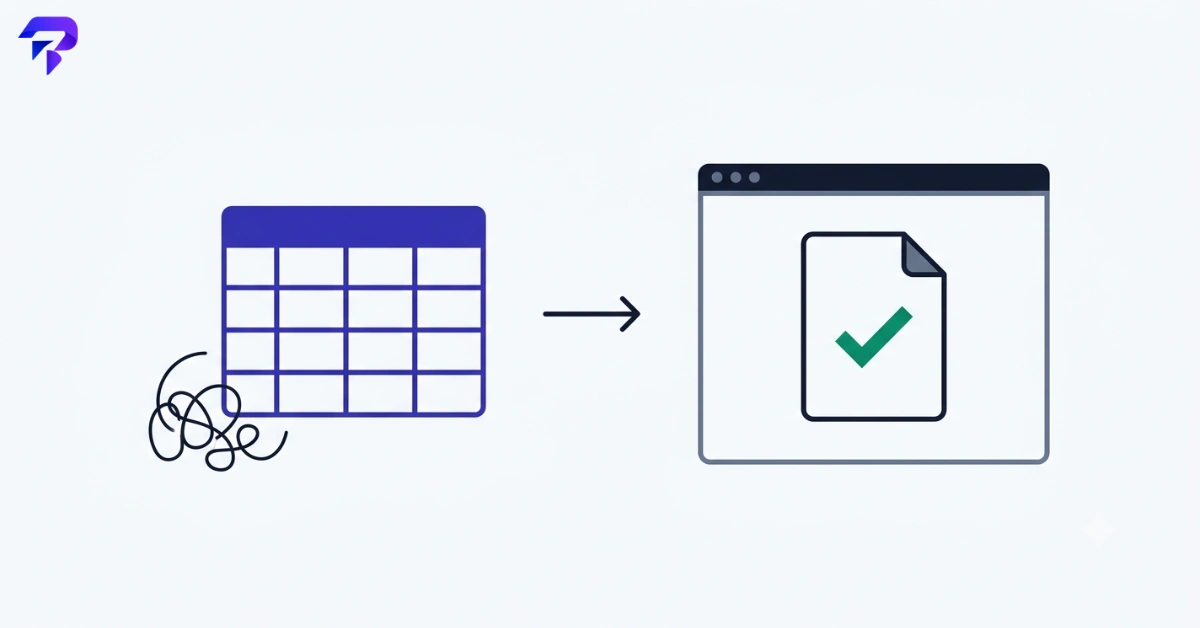
Head-to-head: free invoice generator vs. template
| Factor | Word/Excel Template | Free Invoice Generator |
|---|---|---|
| Setup time | Low — download or copy an existing file once | Low — open the tool, no account needed |
| Time per invoice (after the first) | Manual retyping of client and line-item details each time | Fill in the fields that changed; totals calculate automatically |
| Math accuracy | Depends on formulas staying intact — easy to break by adding/deleting a row | Subtotal, tax, and total recalculate automatically as you edit line items |
| Formatting consistency | Can drift invoice to invoice, especially across devices or if a formula/cell reference breaks | Same layout every time, regardless of who’s using it |
| Tax handling | Manual formula per template — has to be built and rebuilt correctly | Enter a tax rate and it applies to the subtotal automatically |
| Software required | Word, Excel, or Google Docs/Sheets access | Any browser — nothing to install |
| Where your data goes | Stored in the file, wherever you save it | Processed in your browser and never uploaded to a server |
| Output format | Manual “export as PDF” step, formatting sometimes shifts on export | One-click PDF download, print-ready |
| Cost | Free if you already have Word/Excel; otherwise requires a license or Google account | Free, no signup |
Where a Word or Excel template genuinely wins
The template approach isn’t wrong for every situation. It holds up well when:
- You invoice rarely — a handful of times a year — so the repetition problem never really shows up
- You need a highly specific, non-standard layout that a general-purpose tool won’t replicate exactly
- You’re already deep in an accounting workflow built around spreadsheets, and the invoice is one small piece of a larger internal tracking sheet
- You need to work entirely offline with no browser access at all
If any of those describe your situation, a template is a reasonable, low-effort choice. There’s no need to change something that isn’t causing friction.
Where a free invoice generator wins
The generator approach pulls ahead once invoicing becomes a repeated task rather than a one-off:
- No retyping the same fields. Your business name, address, and default terms don’t need to be re-entered from scratch on a file you copy-pasted from last month.
- Fewer manual calculation errors. Subtotal, tax, and total update automatically as you add or edit line items — there’s no formula to accidentally break by inserting a row in the wrong place.
- Consistent formatting, every time. The layout doesn’t drift depending on which device, font substitution, or Excel version you opened the file on.
- Built-in tax handling. Enter a percentage and it applies to the subtotal — no need to rebuild or double-check a formula from a template you didn’t build yourself.
- No software dependency. Works in any browser. You’re not locked out because you’re on a different computer that doesn’t have Word installed.
- Looks the same to every client. A generator produces a clean, structured invoice layout by default, rather than one that depends on your own formatting discipline holding up over time.
None of this means the generator is doing something magical — it’s simply removing the repetitive, error-prone parts of a task you’re going to do again next month anyway.
A practical decision framework
If you’re not sure which approach fits, work through these questions in order:
1. How often do you invoice?
Once or twice a year: a template is fine. Monthly or more: the time you spend maintaining a template and double-checking math starts to outweigh the setup cost of switching to a generator.
2. How many clients do you bill?
One long-term client with a stable invoice format: a template works. Multiple clients with different rates, currencies, or tax rules: a generator that recalculates cleanly for each one reduces the chance of sending an invoice with last client’s numbers still in it.
3. Do you currently double-check your totals by hand?
If you’re manually re-adding line items to make sure a formula didn’t break, that’s a sign the spreadsheet has already stopped saving you time — it’s just moved the work from typing to checking.
4. Does your invoice need to look identical every time, regardless of who sends it?
If a business partner, assistant, or contractor might also need to generate invoices, a tool with a fixed structure prevents formatting drift that happens when a template gets passed around and lightly modified by different people.
5. Do you need to also track tax owed or margins, not just bill the client?
If tax season planning or profitability tracking is part of your invoicing routine, pairing the invoice with a tax calculator to estimate what you’ll owe, or a profit margin calculator to check what a project actually earned you after costs, gives you a fuller picture than the invoice total alone.
Worth double-checking before you set that price in the first place: profit margin and markup are calculated differently and easy to mix up, and using the wrong one quietly underprices the invoice you’re about to send.
If most of your answers point toward frequency, multiple clients, or manual double-checking, a generator is the better fit. If you invoice rarely and your template already works, there’s no urgency to switch.
What “professional” actually means on an invoice

Freelancers often worry that a generated invoice will look less legitimate than a custom Word document. In practice, the opposite is usually true. A professional invoice needs a specific, complete set of fields presented clearly: your business details, the client’s details, a unique invoice number, issue and due dates, itemized line items, subtotal, tax, and total due. What makes an invoice look unprofessional isn’t the software that made it — it’s missing fields, misaligned columns, or inconsistent formatting from one invoice to the next.
A generator enforces that structure by default. A template only does if you built it carefully and haven’t broken it since. ToolPremier’s invoice generator includes all of the standard fields, supports a logo upload for branding, applies tax automatically, and outputs a print-ready PDF — the same structure every time, regardless of who’s filling it in.
How to create an invoice for free in under two minutes
Whichever method you choose, the actual steps are the same:
- Add your business name and contact details
- Add the client’s name and contact details
- Assign an invoice number and set the issue and due dates
- Add line items with descriptions, quantities, and prices
- Apply your tax rate, if applicable
- Review the total and download or print
The difference is what happens on invoice two. With a template, you’re repeating most of this from a copied file and manually verifying the math still works. With a free invoice maker online, steps 1 and 2 are the only ones that change slowly (once your business details are set, they stay the same), and the totals calculate themselves as you go.
Invoicing is only one part of the money side of running a business. Our guide to free calculators for small business covers the pricing, tax and payment maths that comes before the invoice.
FAQs
Is a free invoice generator actually free, or is there a catch?
ToolPremier’s invoice generator has no signup, no account, and no paywall for downloading the PDF. It runs in your browser, so there’s no software license or subscription involved either.
Invoice template vs. generator — which produces a more “official” looking invoice?
Both can look professional if they include the full standard set of fields. The practical difference is consistency: a generator enforces the same complete structure every time, while a template’s appearance depends on how carefully it’s been maintained.
Can I still add my logo and branding to a generated invoice?
Yes. ToolPremier’s invoice generator supports uploading your logo directly in the browser, and it’s placed in the invoice header without being sent to any server.
Is a free invoice maker online safe for client and business financial data?
With a browser-based tool, the data you enter — your business details, client information, and line items — is processed locally on your device and never uploaded anywhere. It isn’t saved after you close the tab, so download your PDF before navigating away.
What does “invoice generator no signup” actually mean in practice?
It means you can open the tool and start filling in an invoice immediately, without creating an account, verifying an email, or providing payment details. You lose nothing by not signing up — there’s just no login step in the way.
Is a spreadsheet template better if I need to track multiple invoices in one place?
If ongoing tracking across many invoices is your main need, a spreadsheet has an advantage for that specific job — rows of historical data. But that’s a separate task from generating each individual invoice, and you can still generate individual invoices with a tool and log the totals in a simple spreadsheet afterward if you want both.
The bottom line
A Word or Excel invoice template costs you almost nothing to set up and nothing to keep using if you invoice a couple of times a year. But for anyone billing clients regularly, the ongoing cost isn’t obvious until you add it up: retyped fields, re-checked formulas, and formatting that quietly drifts invoice to invoice. A free invoice generator front-loads none of that — you fill in what changed, the totals calculate themselves, and the output looks the same every time.


