
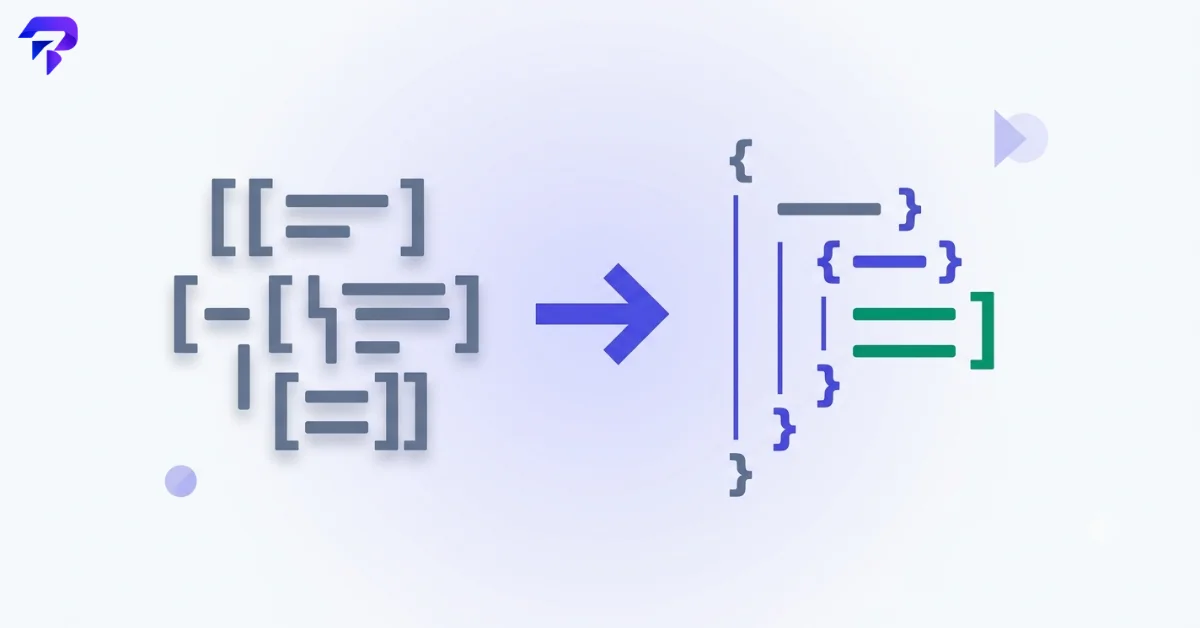
Why JSON often looks unreadable in the first place
JSON (JavaScript Object Notation) is intentionally minimal — it’s just brackets, colons, commas, and values. That’s great for machines and terrible for humans once the data gets more than a few fields deep, especially when it’s been minified for transmission. A minified JSON response from an API can look like a single unbroken wall of characters, even though the underlying data might just be a simple, small object.
A formatter reconstructs the readable version: each nested level gets its own indentation, each key-value pair gets its own line, and the structure that was always there becomes visible again.
Common situations where you’d reach for one
- Debugging an API response. Formatting a raw, unreadable minified response makes it possible to actually see which field has the wrong value.
- Checking a config file for errors. A missing comma or extra bracket will break the whole file — a formatter with validation flags exactly where the syntax breaks.
- Reading exported data. Some tools export data as JSON by default; formatting makes it legible.
- Sharing JSON with a teammate. Minified JSON pasted into a chat or ticket is hard for anyone to review — formatted JSON is scannable.
Formatting vs. minifying — the reverse operation
Formatting isn’t just a one-way street. Once you’re done reading or editing JSON, you often want to minify it again — stripping whitespace back out — especially before sending it over a network or embedding it in production code.
JSON syntax basics, in plain terms
JSON has a small, fixed set of rules, and almost every formatting or validation error traces back to one of them:
- Objects are wrapped in curly braces
{ }and hold key-value pairs, like{"name": "Alex", "active": true}. - Arrays are wrapped in square brackets
[ ]and hold an ordered list of values, like["red", "green", "blue"]. - Keys must always be double-quoted strings — never single-quoted, and never left bare.
{name: "Alex"}is invalid;{"name": "Alex"}is valid. - Values can be a string (double-quoted), a number,
true,false,null, another object, or another array. - No trailing commas.
{"a": 1, "b": 2,}is invalid JSON — that last comma before the closing brace breaks it, even though it’s a common and harmless pattern in JavaScript itself. - No comments. Unlike JavaScript or most config formats, standard JSON has no syntax for comments at all — trying to explain a field with
// notewill invalidate the file.
That’s the entire grammar. Everything a formatter does is built on checking data against these few rules and then laying valid data out with consistent indentation.
Common JSON syntax errors (and how a formatter catches them)
Most “why won’t this JSON parse” problems come down to a handful of repeat offenders:
- Trailing commas — the single most common error, especially when a field gets deleted from the end of an object or array and the comma before it doesn’t get cleaned up.
- Single quotes instead of double quotes —
{'name': 'Alex'}is valid in Python and JavaScript object literals, but not in JSON. JSON requires double quotes, always. - Unquoted or improperly quoted keys — bare keys like
{name: "Alex"}are a JavaScript shorthand that doesn’t carry over to strict JSON. - Mismatched or missing brackets — an object opened with
{that’s closed with], or a bracket that’s never closed at all, especially in deeply nested structures where it’s easy to lose count by hand. - Unescaped special characters inside strings — a literal double quote or backslash inside a string value needs to be escaped (
\",\\); leaving it bare terminates the string early and corrupts everything after it.
A formatter with validation catches all of these immediately and usually points to the specific line and character where parsing failed, which is faster than scanning a wall of minified text by eye looking for one missing character.
JSON vs. YAML vs. XML: when each one shows up
JSON isn’t the only data-interchange format you’ll run into, and knowing the difference helps when you’re not sure what you’re looking at:
- JSON is the default for web APIs and JavaScript-adjacent tooling — compact, easy for machines to parse, no comments.
- YAML is more common in configuration files (CI/CD pipelines, Docker Compose, Kubernetes) because it’s less punctuation-heavy and does support comments, but it’s whitespace-sensitive in ways that cause their own class of errors.
- XML shows up more in older enterprise systems, SOAP APIs, and document formats — more verbose than JSON, but with a stricter, more explicit structure and native support for attributes and namespaces.
They’re all describing structured data — the differences are almost entirely about syntax and tooling conventions, not what the format is capable of representing. Converting between formats is common enough that it’s worth knowing a straight JSON to YAML converter or CSV to JSON converter exists rather than hand-translating a large file.
Does it matter if a JSON formatter processes data in your browser?
If the JSON you’re formatting contains anything sensitive — API keys, user data, internal configuration — it’s worth knowing whether the tool sends that data to a server or keeps it entirely in your browser. ToolPremier’s JSON Formatter processes everything client-side, so pasting in a config file with real credentials never sends that data anywhere. See how browser-based tools handle data for the mechanics.

FAQ
Do I need to know how to code to use a JSON formatter?
No — you just paste in the JSON text and the tool restructures it.
Can a formatter fix broken JSON?
A formatter can identify where JSON is invalid but can’t guess what you meant to write — you’ll still need to fix the actual syntax error yourself.
What’s the difference between formatting and validating JSON?
Formatting changes how the JSON looks; validating checks whether it’s syntactically correct. Most tools do both at once.
Is minified JSON “wrong” or broken?
No — minified JSON is perfectly valid and is actually the preferred format for production use, since it’s smaller to transmit.
Why does my JSON break when I add a trailing comma?
Because the JSON spec (RFC 8259) simply doesn’t allow one — unlike JavaScript object literals, which tolerate a trailing comma before a closing bracket. It’s the single most common reason valid-looking JSON fails to parse.
Can I use single quotes in JSON?
No. JSON requires double quotes for both keys and string values. Single quotes are valid in JavaScript and Python but will cause any strict JSON parser to reject the input.
The bottom line
A JSON formatter solves a small but constant annoyance: data that’s perfectly fine for a machine to read but impossible for a person to scan. Whether you’re debugging an API, checking a config file, or just trying to understand what a tool exported, formatting turns a wall of text back into something you can actually follow.


