
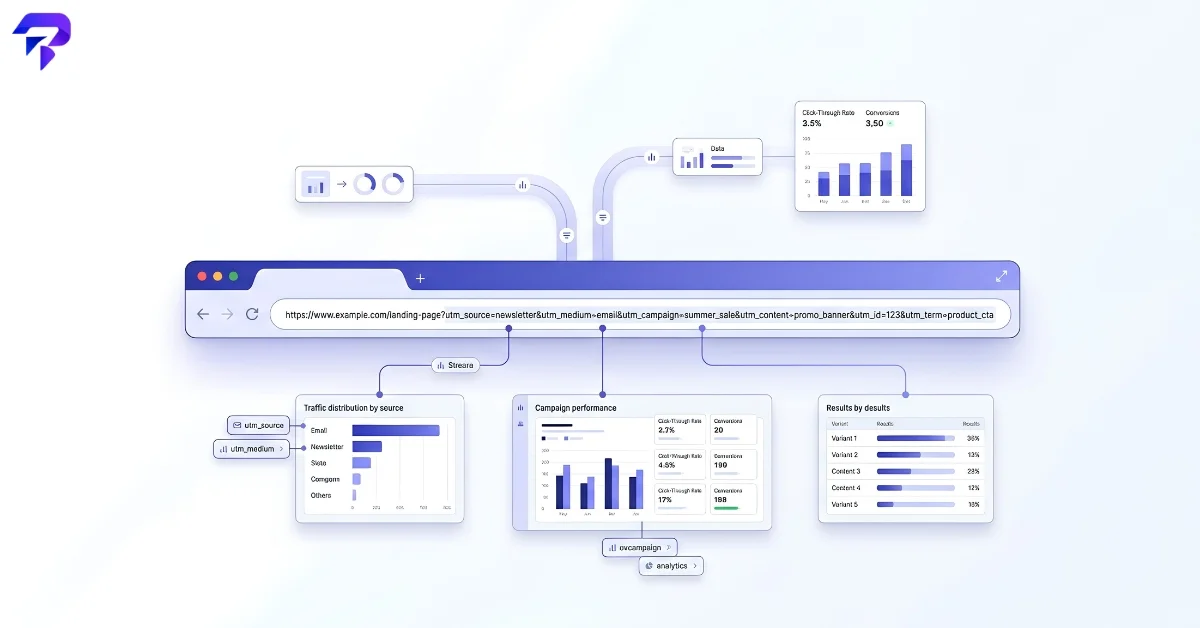
utm_source, utm_medium, utm_campaign, utm_term, and utm_content — and used consistently, they turn “we got more traffic this month” into “that Tuesday newsletter link drove 340 clicks.” Used inconsistently, they quietly wreck your own reporting. Here’s how they actually work.Where the name comes from
UTM stands for Urchin Tracking Module, named after Urchin, a web analytics program that introduced this tagging system before Google acquired the company in 2005 and folded its technology into Google Analytics. The name stuck even though Urchin itself is long gone — UTM parameters are now a de facto standard supported by essentially every major analytics platform, not just Google’s.
The five parameters, and what each one is for
A tagged URL looks like this:
https://example.com/landing-page?utm_source=newsletter&utm_medium=email&utm_campaign=fall_sale&utm_content=header_link
Everything after the ? is a query string made up of key-value pairs, joined with &. Each UTM parameter answers a different question about the click:
utm_source — where the traffic came from: newsletter, facebook, google. This is the parameter analytics platforms treat as effectively required for the other UTM data to attribute cleanly.
utm_medium — what kind of channel it was: email, social, cpc, affiliate. Source tells you the specific place; medium tells you the category of place.
utm_campaign — the name of the specific initiative: fall_sale, product_launch_q4. This is what lets you compare one campaign’s traffic and conversions against another.
utm_term — traditionally used to record the paid search keyword that triggered an ad, so you can see which specific search terms are converting.
utm_content — used to tell apart two links or ads that otherwise share the same source, medium, and campaign — for example, two different call-to-action buttons in the same email, so you can see which one people actually click.
Building one without breaking it
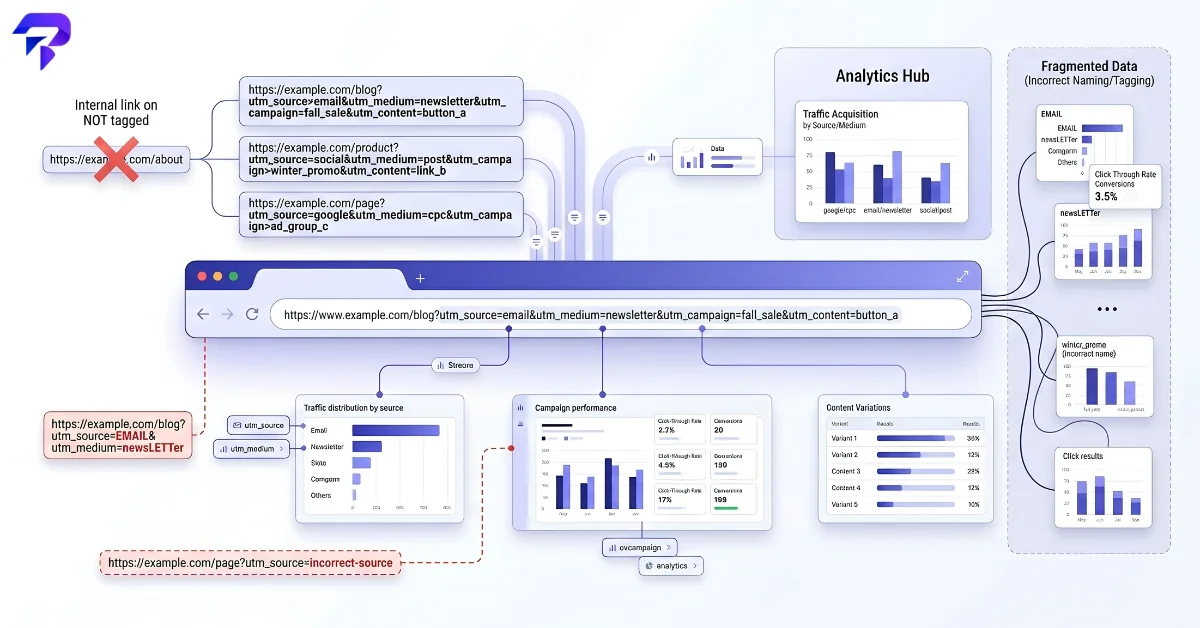
The mechanics are simple, but three habits separate clean UTM data from a mess that quietly undermines your own reports:
Keep values consistent. Most analytics platforms treat UTM values as case-sensitive and literal — Newsletter, newsletter, and news_letter will typically show up as three separate sources instead of one, splitting your traffic data for no real reason. Picking a small, consistent naming convention up front (lowercase, underscores, an agreed list of medium values) matters more than any single tag being clever.
Don’t tag internal links. UTM parameters are meant to describe how someone arrived at your site from an external source. Adding them to links between pages on your own site can overwrite the visitor’s original source information in some analytics setups, making a visit that started from a Google ad look like it started from wherever the internal link happened to point — which erases the very data you were trying to capture.
Don’t over-tag everything. UTMs earn their keep on links you’re actively trying to measure and compare — a specific email, a specific paid ad, a specific social post. Slapping them on every link everywhere, including ones with no real comparison to make, just adds clutter to reports without adding insight.
Building the query string by hand is easy to get slightly wrong — a missing &, an inconsistent value, a typo in the parameter name itself. ToolPremier’s UTM builder generates a correctly formatted tracking link from a simple form, which removes the most common source of that kind of self-inflicted data error.
UTM parameters vs. other tracking methods
UTM tags aren’t the only way analytics tools attribute traffic — referrer headers and platform-specific click IDs (like Google’s gclid or Meta’s fbclid) also carry attribution data, and they’re often added automatically by ad platforms without you building anything by hand. UTMs remain the most portable option because they’re plain, readable text you control directly, which is why they’re still the standard choice for anything you’re tagging manually — newsletters, social posts, guest links, and QR codes among them.
Reading the results correctly
Tagged links only solve half the problem — the other half is checking that a campaign’s UTM combination is actually reaching your reports as one clean group rather than fragmenting into near-duplicate entries. A quick audit — searching your analytics platform’s source/medium report for near-identical entries — is usually enough to catch the case-sensitivity and naming-drift problems before they distort a month’s worth of reporting.
FAQs
Do UTM parameters affect SEO, or make Google think it’s a duplicate page?
They can, if you’re not careful. Search engines generally treat a URL with different query parameters as technically different from the bare URL, which creates a real risk of duplicate-content confusion if a UTM-tagged version of a page gets indexed or linked to externally. The standard fix is a canonical tag pointing to the clean, untagged URL, which most modern CMS and SEO plugins (including Rank Math) handle automatically — UTM links are meant for tracking clicks from external sources, not for internal linking or anything you’d want indexed on its own.
If someone copies and reshares my tagged link, does the tracking data stay accurate?
The tag itself doesn’t disappear — UTM parameters are just part of the URL, so they survive being copied, pasted, and reshared exactly as written. The problem is attribution accuracy, not the tag breaking: if your utm_source=newsletter link gets shared into a completely different context (a forum post, a group chat), your analytics will still report that traffic as coming from the newsletter, even though it didn’t. This is one more reason not to over-tag links that are likely to circulate outside their original context.
Do UTM parameters work on app links and social media bio links the same way they do on regular URLs?
Not always. Standard web links carry query strings without issue, but some platforms handle them inconsistently — certain app deep links and social platforms strip or ignore query parameters depending on how the link is rendered, and a bio link (like Instagram’s single clickable link) may need to point to a bio-link landing page rather than a raw tagged URL. Test a tagged link on the specific platform before relying on it for an important campaign, rather than assuming every surface honors UTM tags identically.
Is there a limit to how many UTM parameters I can add, or how long the URL can get?
UTM tagging itself has no built-in limit — you could add all five parameters with long values and it would still technically work. The real constraint is general URL length: most browsers and servers reliably support URLs up to around 2,000 characters, and some platforms enforce shorter limits of their own. Long campaign names combined with several parameters can add up faster than expected, so keep values concise rather than descriptive sentences.
The Bottom Line
UTM parameters are simple text tags, but small mistakes — inconsistent naming, missing parameters, typos — quietly break the reports built on top of them. Build a naming convention before you start tagging links, use a generator or spreadsheet to keep it consistent, and your campaign data stays trustworthy instead of fragmented across near-duplicate source/medium combinations.


