
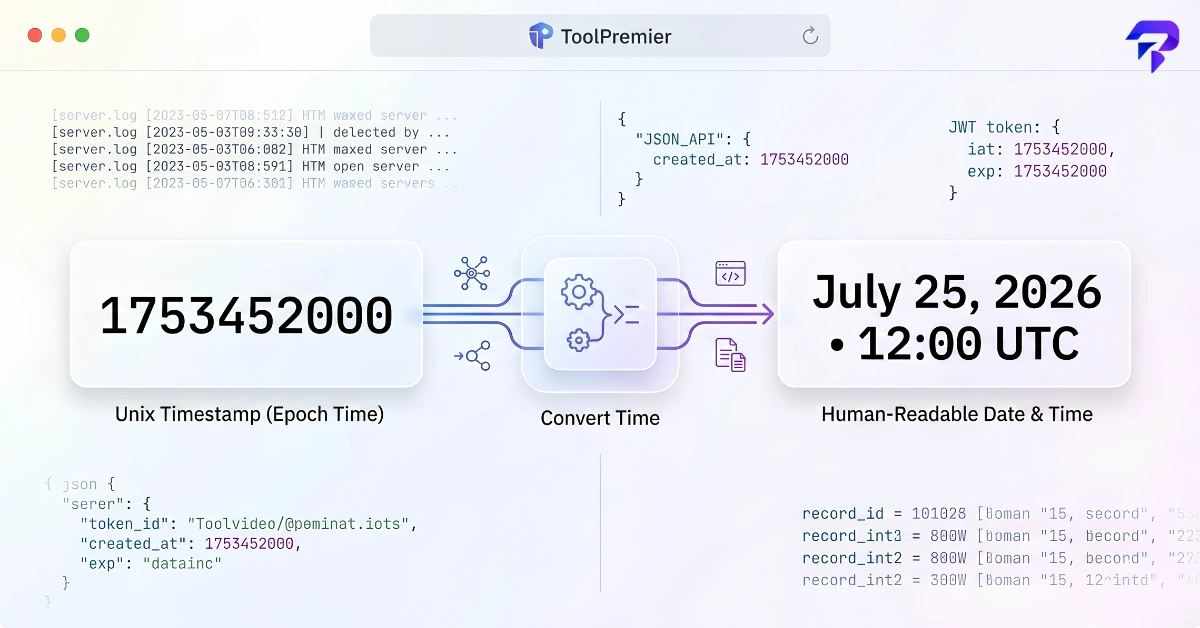
Quick answer: A Unix timestamp (also called epoch time) is the number of seconds that have passed since January 1, 1970, 00:00:00 UTC. Some systems use milliseconds instead of seconds, which is the single most common source of confusion. A timestamp like 1753420800 means nothing to a human until it’s converted to a readable date — which is exactly what a unix timestamp converter does. You’ll run into epoch time in server logs, API responses, database columns, cron scheduling, and JWT tokens.
What is Unix time, actually?
Unix time counts seconds elapsed since a fixed starting point: midnight UTC on January 1, 1970. That moment is called “the epoch,” which is why you’ll also hear this called epoch time. Everything after it is a positive integer that keeps climbing; everything before it (in systems that support negative values) is negative.
There’s no timezone baked into the number. A Unix timestamp represents one exact instant, and it’s up to whatever’s displaying it to convert that instant into a local date and time. This is actually the main reason Unix time is useful — it’s unambiguous. “3:00 PM” means different things depending on where you are, but 1784980800 means exactly one moment, everywhere, always.
The tradeoff is that it’s unreadable to a person. Nobody looks at 1784980800 and knows it’s July 25, 2026. That gap between “unambiguous for machines” and “meaningless to humans” is the entire reason timestamp converters exist.
Seconds vs. milliseconds: the confusion that breaks things
The original Unix time standard counts in seconds. But a lot of programming languages and platforms — JavaScript’s Date.now() among them — work in milliseconds instead, because millisecond precision is useful for things like measuring load times or ordering events that happen close together.
The practical problem: nothing in the number itself tells you which unit you’re looking at. If you paste a millisecond timestamp into a converter expecting seconds, you’ll get a date somewhere around the year 57000 — an easy tell that something’s off, but only if you know to check. Feed a seconds-based timestamp into something expecting milliseconds, and you’ll land somewhere in 1970, which is a more common failure mode when debugging “why does this record say it was created 55 years ago.”
A rough rule for spotting which one you’re dealing with: current-day timestamps in seconds are 10 digits long. In milliseconds, they’re 13 digits. That digit count is the fastest sanity check before you convert anything.
| Format | Example value | Digit count (current era) | Represents |
|---|---|---|---|
| Seconds | 1784980800 | 10 | July 25, 2026, 12:00:00 PM UTC |
| Milliseconds | 1784980800000 | 13 | Same instant, millisecond precision |
| Microseconds | 1784980800000000 | 16 | Same instant, used in some databases/logging systems |
| ISO 8601 (for comparison) | 2026-07-25T12:00:00Z | — | Human-readable equivalent |
Where you actually run into epoch time
Server and application logs
Log lines often stamp each entry with an epoch value instead of a formatted date, partly because it’s cheaper to write and partly because it sorts correctly as a plain integer without any date-parsing logic. When you’re tracing an incident and need to know exactly when an error fired relative to a deploy or another log line, converting that number to a real date and time is usually the first step.
APIs
Plenty of REST APIs return timestamps as epoch integers — created_at, updated_at, expires_at fields showing up as raw numbers instead of formatted strings. This keeps the payload small and avoids any ambiguity about timezone formatting on the server side, but it means whatever’s consuming the API has to convert it before displaying it to a user.
Databases
Storing timestamps as integers instead of a native date type is a common design choice because integer columns are compact, index well, and sort trivially. If you’ve ever opened a database table and seen a column full of ten- or thirteen-digit numbers where you expected dates, that’s epoch time.
Cron schedules
Cron itself doesn’t schedule jobs using raw Unix timestamps — cron expressions describe recurring patterns (minute, hour, day, month, weekday) rather than a single instant. But the jobs a cron schedule triggers frequently work with epoch time internally: computing “next run at,” logging “last run at,” or calculating a time window in seconds. If you’re building or debugging a schedule, it helps to go back and forth between the human-readable cron pattern and the actual instants it resolves to. ToolPremier’s cron expression generator handles the pattern side of that.
JWT tokens
JSON Web Tokens carry a payload of claims, and two of the standard ones are timestamp fields: iat (issued at) and exp (expiration). Both are stored as Unix time in seconds. When a token is rejected as expired, or when you’re trying to figure out exactly how long a token is valid for, you need to read those two numbers as actual dates. Decoding a JWT and converting iat/exp to readable timestamps is one of the most common reasons developers go looking for an epoch converter in the first place. ToolPremier’s JWT decoder pulls the claims out for you; from there, converting the numbers is the next step.
The Year 2038 problem
This one is worth understanding even if it doesn’t affect your day-to-day work. Unix time is often stored as a 32-bit signed integer. A 32-bit signed integer has a maximum value, and Unix time will hit that maximum on January 19, 2038. After that point, systems still relying on a 32-bit representation of Unix time will overflow — the number wraps around and gets interpreted as a date far in the past instead of continuing forward correctly.
This is a well-documented, widely known limitation of the 32-bit Unix time format, comparable in nature (though not in scale) to the Y2K date rollover. Most modern systems have moved to 64-bit representations of Unix time, which push the practical limit far enough into the future that it’s not a near-term concern. But some older 32-bit systems and embedded software still store timestamps this way, which is why the Year 2038 problem still gets mentioned in discussions of long-lived infrastructure and legacy systems.
Common pitfalls when working with epoch time
- Assuming a timezone that isn’t there. Unix time is always UTC. If a converter shows you a date and time, it’s either showing UTC or it’s applying your local timezone offset — know which one you’re looking at before you use that date in a report or a comparison.
- Mixing seconds and milliseconds in the same calculation. If you’re subtracting one timestamp from another to get a duration, both need to be in the same unit, or your “duration” will be off by a factor of 1000.
- Treating a negative timestamp as an error. Dates before January 1, 1970 are valid as negative Unix timestamps in systems that support them. It looks like a bug the first time you see it, but it’s just a pre-epoch date.
- Forgetting that “now” keeps changing. A timestamp you convert today will still convert to the same date next year — but if you’re eyeballing whether a number looks “recent,” remember the reference point keeps moving forward.
Unix time vs. epoch time: is there a difference?
In everyday use, no: “Unix time”, “Unix timestamp”, “epoch time” and “POSIX time” all mean the same count of seconds since 1970-01-01T00:00:00Z. Strictly speaking, an epoch is just a reference starting point, and not every system uses 1970. GPS time counts from January 6, 1980, Windows file times count 100-nanosecond intervals from January 1, 1601, and NTP counts from January 1, 1900. When someone says “epoch time” without qualification, though, they almost always mean the Unix epoch.
One more detail worth knowing: Unix time ignores leap seconds. The POSIX definition treats every day as exactly 86,400 seconds, so a Unix timestamp is not a perfectly literal count of every second that has elapsed since 1970. For almost all application code this makes no practical difference.
How to get and convert a Unix timestamp in code
Most languages can read the current timestamp and turn one back into a date in a single line. The examples below return seconds and print the date in UTC:
| Language | Current timestamp (seconds) | Timestamp to readable date (UTC) |
|---|---|---|
| JavaScript | Math.floor(Date.now() / 1000) |
new Date(ts * 1000).toISOString() |
| Python | int(time.time()) |
datetime.fromtimestamp(ts, tz=timezone.utc) |
| PHP | time() |
gmdate('Y-m-d H:i:s', $ts) |
| MySQL | UNIX_TIMESTAMP() |
FROM_UNIXTIME(ts) (uses the session time zone) |
| PostgreSQL | EXTRACT(EPOCH FROM NOW())::bigint |
TO_TIMESTAMP(ts) |
| Linux shell (GNU date) | date +%s |
date -u -d @ts |
Two details catch people out. JavaScript’s Date.now() returns milliseconds, which is why the example divides by 1000 and multiplies by 1000 on the way back. On macOS, the built-in date command uses date -u -r ts instead of -d @ts.
How to convert a Unix timestamp quickly
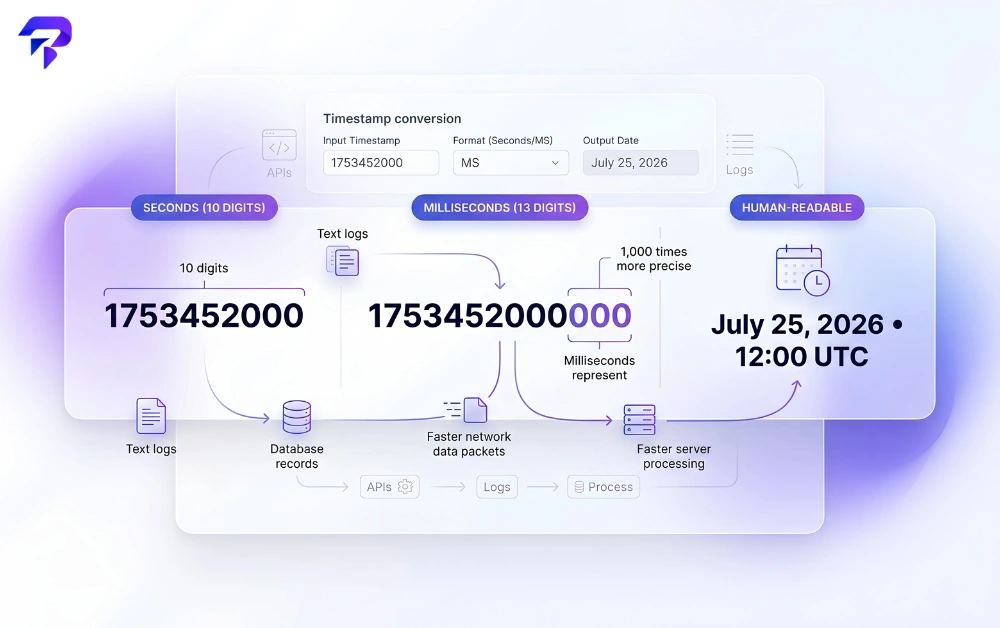
The fastest way to go from a raw number to a readable date — or the other direction, from a calendar date to an epoch value — is to paste it into a purpose-built converter rather than doing the math by hand. ToolPremier’s Unix Timestamp Converter runs entirely in your browser, so a timestamp pulled from a production log or a customer record never leaves your machine. It handles both seconds and milliseconds input, shows the result in UTC and your local timezone, and works in the reverse direction too, turning a date you pick into the corresponding epoch value.
FAQs
What is Unix time?
Unix time, also called epoch time, is the number of seconds elapsed since January 1, 1970, 00:00:00 UTC. It’s a single integer that represents one exact moment in time, independent of timezone.
How do I convert a timestamp to a date?
Paste the number into a converter that knows whether you’re working in seconds or milliseconds, and it will output the corresponding calendar date and time. Doing it manually means dividing by the number of seconds in a day and accounting for leap years, which is why almost nobody does it by hand.
Why do some timestamps have 10 digits and others have 13?
Ten digits means the timestamp is in seconds; thirteen digits means it’s in milliseconds. This is the fastest way to tell which format you’re looking at before converting.
What are the iat and exp claims in a JWT?
Both are Unix timestamps in seconds. iat records when the token was issued; exp records when it expires. A server checks the current time against exp to decide whether to accept the token.
Does a cron expression use Unix timestamps?
Not directly. A cron expression describes a recurring pattern — minute, hour, day, month, weekday — rather than a single point in time. But the “next run” and “last run” times that a cron schedule produces are often stored and compared as Unix timestamps.
What is the Year 2038 problem?
It’s the overflow that occurs when Unix time is stored as a 32-bit signed integer, which reaches its maximum value on January 19, 2038. Systems still using that 32-bit format at that point would see the timestamp wrap around to an incorrect date. Most current systems use a 64-bit representation, which avoids this for the foreseeable future.
Are Unix time and epoch time the same thing?
In practice, yes. Both terms usually mean the number of seconds since January 1, 1970, 00:00:00 UTC. Technically an epoch is any reference start date, and some systems (GPS, Windows file times, NTP) use different ones, but unqualified “epoch time” almost always means the Unix epoch.
Can a Unix timestamp be negative?
Yes, on systems that support it. A negative value represents a date before January 1, 1970.
The bottom line
A Unix timestamp is just a count of seconds (or milliseconds) since a fixed starting point in 1970. The number itself is precise and unambiguous, which is exactly why machines default to it — and exactly why it’s useless to glance at. Whether you’re staring at a log line, an API response, a database column, or a JWT’s exp claim, the fix is the same: convert it, check whether you’re in seconds or milliseconds, and read the result in the timezone you actually care about. Run your next one through the Unix Timestamp Converter — it’s free, browser-based, and doesn’t send anything you paste in anywhere.


