
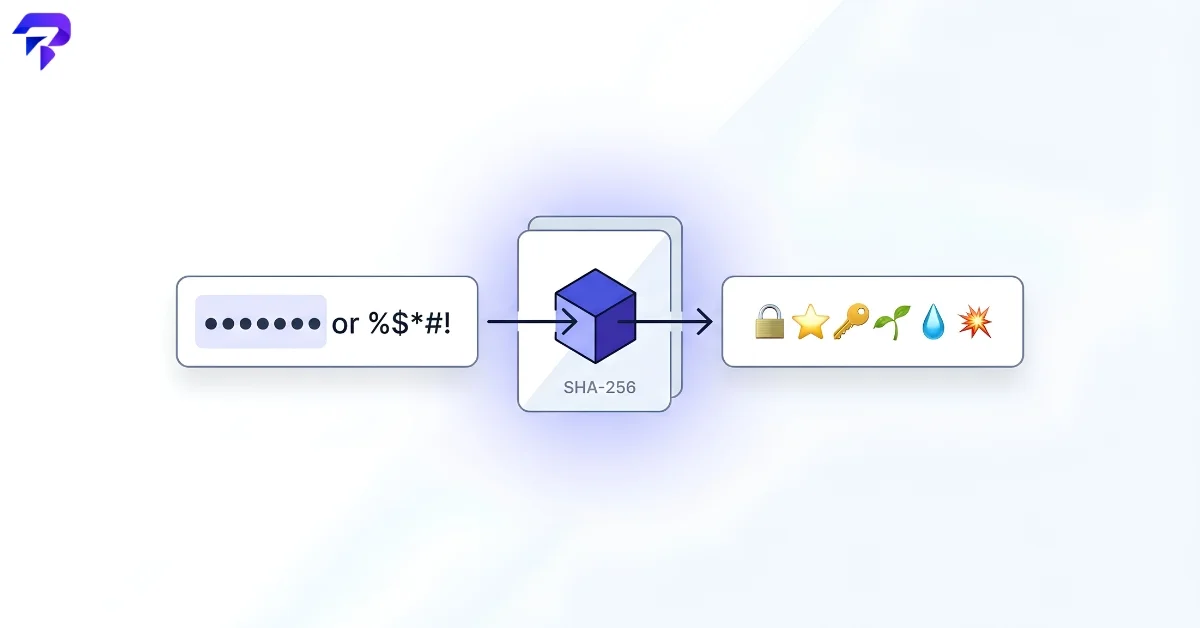
What’s actually happening when you convert a password to emoji
A password to emoji converter takes the text you enter and runs it through a cryptographic hash function — SHA-256 — which produces a fixed-length string of bits regardless of how long your input was. Those bits then get mapped onto a fixed set of emoji symbols, turning an abstract hash into a visual pattern that’s easier to eyeball than a string of hexadecimal characters.
This is the same basic idea behind SSH key “randomart” and other hash-visualization techniques: hashes are hard to compare by eye, but a pattern of distinct shapes or symbols is easy to compare at a glance.
Why the same input always produces the same pattern
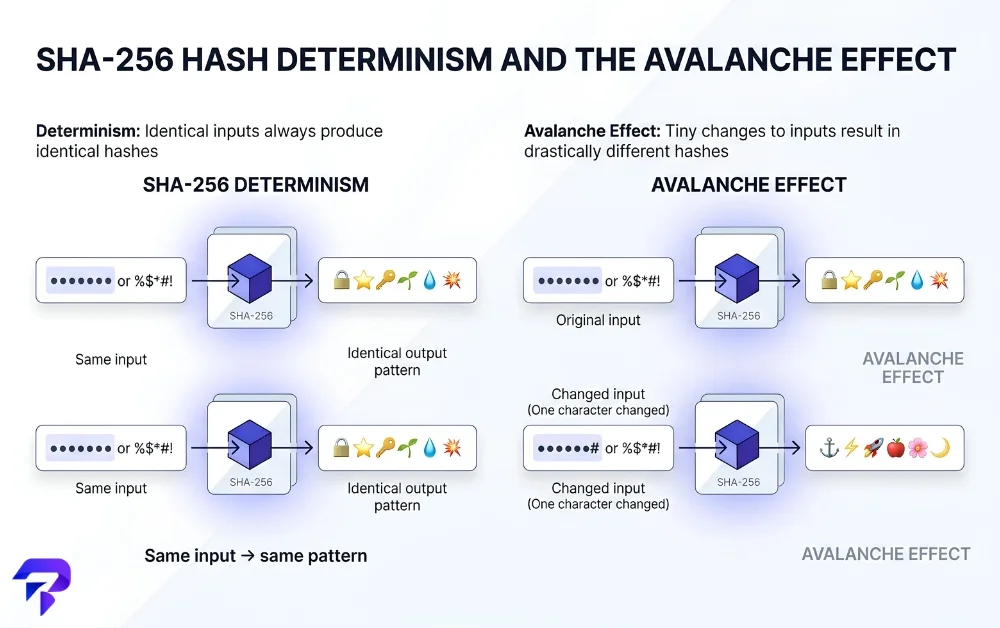
SHA-256 is deterministic — the same input text always produces the exact same hash, every time, on any device. That’s why typing the same password twice gives you the identical emoji sequence both times. It’s also why changing even a single character produces a completely different pattern: cryptographic hash functions are built so that a tiny change in the input causes a large, unpredictable change in the output (known as the avalanche effect), which is exactly what makes the visual comparison useful — two matching patterns mean two identical inputs, character for character.
Why you can’t reverse the emoji back into the password
Hashing is a one-way operation by design. Unlike an encoding or a cipher — where you can always run the process backward to recover the original text — a cryptographic hash function is built so that going from output back to input isn’t computationally feasible. That’s a fundamentally different category from something like a Caesar cipher or ROT13, both of which are trivially reversible substitution schemes. An emoji password pattern can’t be decoded back to plaintext, by anyone, because the original information isn’t recoverable from the hash in the first place.
What this does and doesn’t do for your security
It’s worth being precise here, because it’s easy to assume “hashed” automatically means “safer.” Converting a password to an emoji pattern doesn’t change the strength of the underlying password at all — a short, guessable password produces a hash just as easily as a long random one, and the emoji pattern reveals nothing about which kind you used. What it’s genuinely useful for: confirming you (or someone you’re sharing a step with) typed a password identically without ever displaying or saying the actual characters out loud, and quickly spotting a typo by pattern-matching two emoji sequences instead of character-by-character comparison. What it isn’t: a password manager, a way to store a password more securely, or a way to make a weak password stronger. Real password sites don’t hash with plain SHA-256, either — they use algorithms like bcrypt that are deliberately slow and salted specifically to resist large-scale guessing attacks, which a bcrypt hash generator demonstrates.
Why not to type a real bank password into any online tool
Even though the hashing here happens locally in your browser rather than on a server, it’s still worth treating any web-based text box as something you don’t feed your actual banking or master passwords into — that’s a general web-safety habit, not something specific to this tool. Use it with a mock password, a practice phrase, or a password you’re about to change anyway, and save the real audit-by-eye trick (comparing two entries without saying either one aloud) for passwords you’re actively setting up rather than ones already protecting a live account.
What actually makes a password stronger
None of that comes from hashing or visualizing it — it comes from the password itself. Length and randomness are what matter: a longer password drawn from a larger set of possible characters is exponentially harder to guess than a short, predictable one, regardless of how it’s later hashed or displayed. A password generator produces genuinely random strings instead of ones you’d have to think up yourself, and a password strength checker gives you a read on whether what you’ve got is actually strong before you rely on it. Emoji patterns are a nice way to visually audit that you typed something correctly — they’re not a substitute for either.
FAQs
Does the length of my password change how many emoji show up in the result?
No — SHA-256 always produces a fixed-length hash no matter how long the input text is, so the resulting emoji sequence is always the same length whether you type 3 characters or 300. This is a core property of cryptographic hash functions: the output size is fixed, and it’s exactly what makes hash-based visual comparisons practical, since you’re always comparing patterns of the same length regardless of the original password’s size.
Could two completely different passwords ever produce the same emoji pattern by coincidence?
Theoretically yes (this is called a hash collision), but for SHA-256 specifically, it’s so astronomically unlikely with real-world inputs that it isn’t a practical concern for this kind of visual comparison. SHA-256 was specifically designed to make finding two inputs that produce the same output computationally infeasible with current technology, which is exactly why it’s trusted for exactly this kind of “do these two things match” check.
Is this the same idea behind the “safety number” or verification code some messaging apps show when you pair devices?
Conceptually, yes. Apps like Signal and WhatsApp show a numeric or visual code derived from cryptographic keys so two people can confirm, out loud or by comparing screens, that they’re both looking at the same underlying value without reading out a long string of raw characters. It’s the same underlying principle as a password-to-emoji tool — turning something hard to compare character-by-character into a pattern that’s easy to eyeball — applied to key verification instead of password matching.
If I run the same password through two different password-to-emoji websites, will I get the same emoji pattern?
Only if both sites use the identical hash algorithm and the identical scheme for mapping hash bits to specific emoji. The underlying SHA-256 hash would be identical between any two standards-compliant tools, but which emoji each tool chooses to represent a given chunk of that hash is a design decision each site makes independently — so two different tools can hash your password identically under the hood and still show you two completely different-looking emoji sequences.
The Bottom Line
Converting a password to an emoji sequence is a one-way hash visualization, not encryption — useful for quickly comparing two passwords without displaying either one in plain text, but it adds no actual security on its own. Never type a real, sensitive password into any online tool, this one included; use test values to understand the concept instead.


