
The two architectures, and why the difference matters
Every online file tool falls into one of two camps.
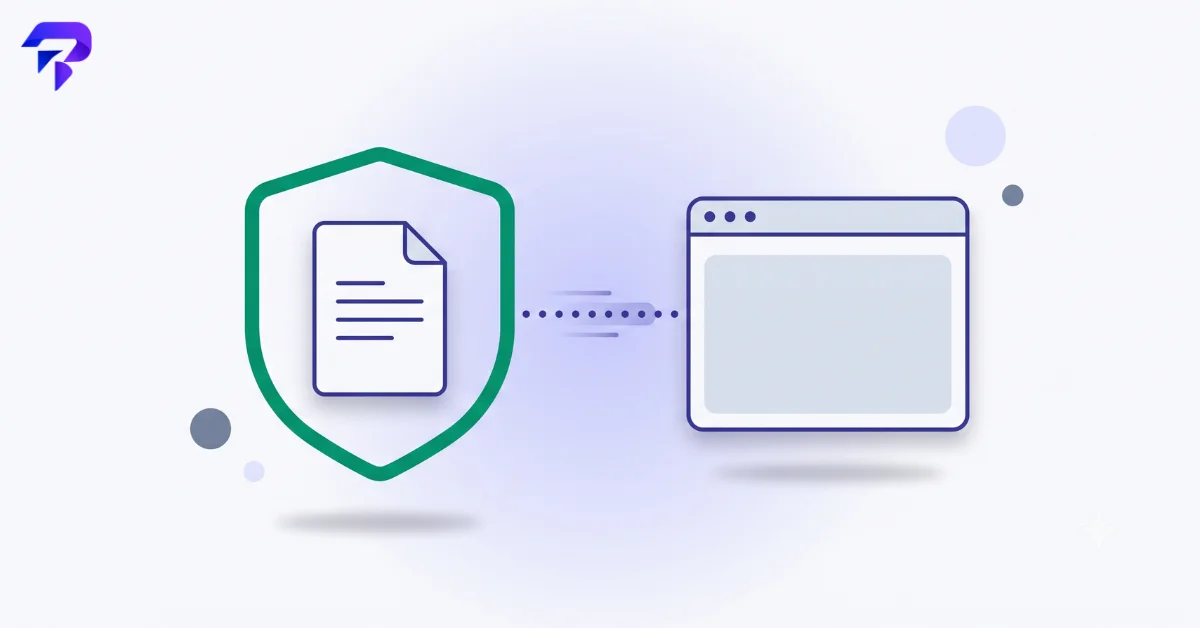
Browser-based (client-side) tools run the conversion, compression, or edit using code that executes inside your own browser tab. The file you drop in is read directly off your device’s memory, processed there, and the output is generated there too. It never leaves your machine. This is technically possible today because of WebAssembly and modern JavaScript engines, which can run surprisingly heavy operations — image compression, PDF merging, OCR — fast enough to feel instant, without a server ever seeing the file.
Server-based tools take the file you upload and send it to a remote machine for processing, then send the result back down to you. This isn’t inherently malicious — it’s how most software has worked for two decades, and it’s often necessary for very large files or operations that need more computing power than a browser can offer. But it means your file, for some window of time, exists on infrastructure you don’t control.
Neither architecture is a guarantee of anything on its own. A browser-based tool can still be poorly coded. A server-based tool can still have solid encryption, short retention windows, and a clear no-training policy. The architecture just tells you where the risk lives — on your device, or on someone else’s server.
What can actually go wrong with server-based tools
A few concrete risk categories worth understanding, not just vague unease:
- Retention you didn’t agree to. “We delete files after 1 hour” is a common claim, but it’s only as good as the operator’s follow-through — and it’s rarely independently verifiable by a user.
- Vague training/analysis language. Terms of service that say a provider “may use content to improve our services” can, depending on how it’s written, cover analyzing file contents or retaining samples for testing. That’s a meaningfully different promise than “we never look at your files.”
- Third-party exposure. If a tool routes processing through additional infrastructure providers, your file may pass through more hands than the homepage suggests.
- Malicious impersonation. In March 2025, the FBI’s Denver Field Office issued a public warning about fake “free file converter” tools being used to distribute malware — tools that performed the advertised conversion while secretly installing ransomware or credential-stealing software in the background. This is a genuinely different threat category from privacy concerns: it’s not about what a legitimate company does with your data, it’s about bad actors impersonating a legitimate-looking tool entirely.
None of this means every server-based converter is unsafe. Established providers with clear retention policies and encryption in transit are a reasonable choice for non-sensitive files. But “reasonable for a low-stakes PNG” and “reasonable for a signed NDA or a passport scan” are different bars.
A simple way to decide, file by file
Before you upload anything, ask two questions:
- How sensitive is this file? A meme you’re resizing for a group chat carries essentially zero risk either way. A contract, medical document, financial statement, or anything with another person’s personal information is a different category entirely.
- Does the tool tell you, plainly, where processing happens? If a tool’s homepage or FAQ states clearly that files are processed in your browser and never uploaded, that’s a verifiable architectural claim — not a policy promise you have to trust blindly. If a tool is vague about this, treat it as server-based by default and make your retention/privacy decisions accordingly.
For anything genuinely sensitive, the safest default is a tool that processes locally — nothing to retain, nothing to leak, because nothing ever left your device.
How to spot a browser-based tool without reading the fine print
A few practical tells:
- It works with your Wi-Fi briefly disconnected (after the page has loaded). If the conversion still completes, it’s running locally.
- Large files process instantly with no visible “uploading…” progress state, then a separate “processing on server” delay.
- The tool explicitly states “runs in your browser” or “no upload” as a feature, not buried in a privacy policy but stated upfront as a selling point — legitimate client-side tools tend to lead with this because it’s a genuine differentiator.
ToolPremier’s PDF and image tools — including PDF Compressor, Merge PDF, and the Image Converter — are built this way: your file is read, processed, and downloaded without ever being sent to a server. That’s not a marketing claim layered on top of a server-based tool; it’s the actual mechanism.
FAQ
Does converting a file online mean it’s automatically at risk?
No. Risk depends on the specific tool’s architecture and policies, not on the category of “online tool” as a whole. A well-built browser-based tool carries essentially the same risk profile as software installed on your own device, because the processing happens in the same place.
Is it ever fine to use a server-based converter?
Yes, for low-sensitivity files where convenience matters more than the theoretical exposure window — a screenshot, a public document, a low-stakes image. The concern scales with what’s actually in the file.
How do I know if a specific tool is browser-based or server-based?
Check whether the tool states this plainly (many privacy-focused tools do, because it’s a differentiator). If it’s unclear, test the “disconnect Wi-Fi mid-use” method above, or assume server-based and treat the file accordingly.
Are free tools riskier than paid ones?
Not inherently — price isn’t a reliable signal of architecture or safety. Some paid tools upload files to servers; some free tools process entirely in-browser. Judge the specific tool’s stated processing method, not its price tag.
The bottom line
“Is it safe?” isn’t a yes/no question about online file tools as a category — it’s a question about where a specific file goes when you use a specific tool. Learn to spot the difference between browser-based and server-based processing, match the tool to the sensitivity of the file, and you’ve handled the actual risk rather than just the anxiety around it.


